v2.0 — macOS 14+

Stop paying Apple
for iCloud storage.

Your 200 GB plan costs $2.99/mo. That's $36/year to store screenshots you forgot about. Audit, clean, and downgrade to the free 5 GB tier in minutes.

Buy for $4.99 See what's included

One-time purchase · macOS 14 Sonoma or later · Signed & Notarized

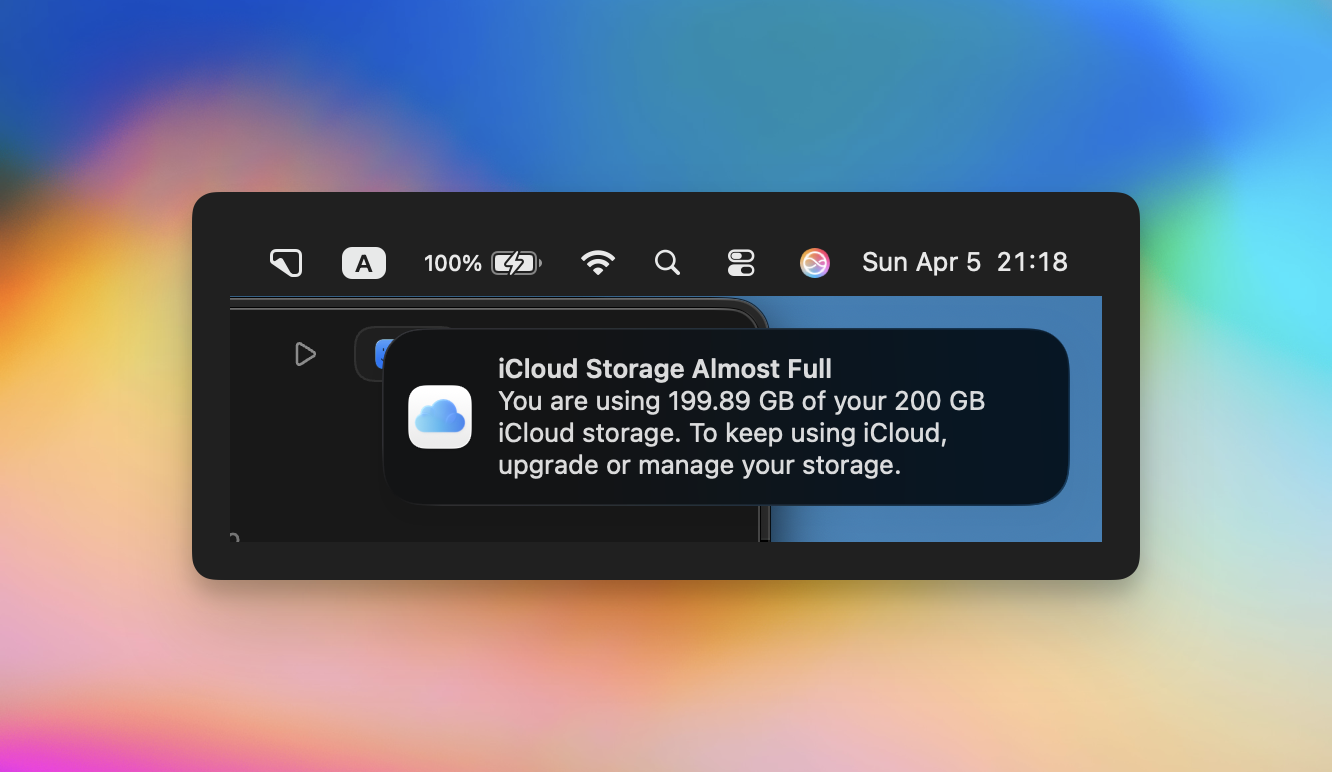
iCloud Storage Almost Full notification showing 199.89 of 200 GB

You've seen this before.

199.89 of 200 GB. Apple wants you to upgrade. You want it to go away. So you pay $2.99/mo and forget about it.

But here's the thing — most of that storage is old backups, node_modules, screenshots from 2019, and WhatsApp cache.

We went from 199.89 GB to 2.6 GB in one session. Then cancelled the subscription. $0/year.

Everything you need
to break free.

Five tools that walk you through the entire process. No terminal required.

Audit

Scans iCloud Drive, Desktop, Documents. Finds what's eating your space — node_modules, .git folders, old archives, massive files you forgot existed.

Free Local Space

Identifies safe-to-delete junk: aerial wallpaper cache (3 GB), Docker data (50+ GB), dev caches, Xcode derived data. One click to nuke them.

Clean iCloud Drive

Bulk-select and delete junk from iCloud-synced folders. Desktop & Documents, Downloads, whatever Apple decided to sync without asking.

Photos

Guides you through downloading originals locally, analyzing your library, and safely turning off iCloud Photos without losing a single picture.

Disable & Downgrade

Step-by-step checklist to turn off every iCloud sync feature and downgrade to the free 5 GB plan. No more monthly charges.

Built from a real cleanup.

These are the actual numbers from the session that inspired this app.

197 GB

iCloud storage freed

117 GB

Local disk space recovered

$36

Saved per year

5 min

Total time spent

Three steps to freedom.

The app handles the complexity. You just confirm what to delete.

1

Scan

Hit the Audit button. The app scans your iCloud Drive, Desktop, Documents, caches, and local disk. Takes about 30 seconds.

2

Clean

Review what's taking space. Select the junk. Delete it. The app separates "safe to delete" (caches, node_modules) from things that need your review.

3

Downgrade

Follow the checklist to disable iCloud sync, download your photos locally, and switch to the free 5 GB plan. Done. No more charges.

Save $36/year.
Pay once.

$4.99 one-time purchase

Less than two months of iCloud storage.
Pays for itself the first month.

Buy iCloud Cleaner
14-day money-back guarantee

macOS 14+ · Apple Silicon & Intel · Signed & Notarized · Instant download

Questions.

No. The app never deletes anything without explicit confirmation. It guides you through downloading photos locally before turning off iCloud Photos. Your originals stay safe on your Mac.

Yes, once you've moved everything locally and disabled iCloud sync. The app walks you through each step to make sure nothing gets lost in the process.

Yes. The app runs on both Apple Silicon and Intel Macs with macOS 14 Sonoma or later.

Yes. It's signed with a Developer ID certificate and notarized by Apple. No Gatekeeper warnings when you install it.

iCloud Cleaner focuses specifically on getting you off paid iCloud storage. It walks you through the entire process — from auditing to downgrading your plan. CleanMyMac is a general-purpose cleaner that costs $40+/year as a subscription. iCloud Cleaner is a one-time $4.99 purchase.

Yes. If the app doesn't work for you, reach out within 14 days and we'll refund you, no questions asked.